Product: PaperCut Hive
Problem: Users are unable to print or scan via PaperCut Hive when the internet is down. The PaperCut Hive MFP app is unable to connect to the internet, preventing users from logging in to print and scan.
Possible causes: Either the internet or the network is down or the MFP is not connected to the network.
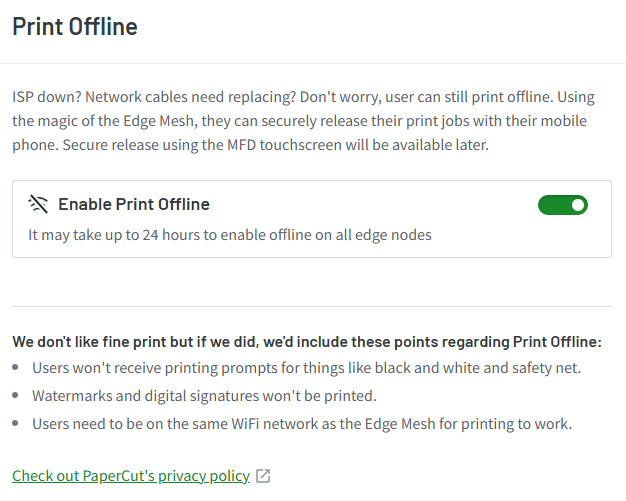
Solution: Print Offline mode should be enabled so users are able to print and release via their mobile phones, even though there are internet connectivity issues. Without the PaperCut Hive MFP app being accessible, the users won't be able to scan during this time. Please see the details below:

support@innovativesolutions.co.za
+27 61 542 7262
Was this article helpful?
That’s Great!
Thank you for your feedback
Sorry! We couldn't be helpful
Thank you for your feedback
Feedback sent
We appreciate your effort and will try to fix the article