Product: PaperCut Hive.
Problem: The PaperCut Hive embedded app does not launch automatically when a user logs into the MFP. Instead, the device main menu appears, requiring the user to manually open the PaperCut app.
Possible causes: Incorrect configuration within the Hive portal.
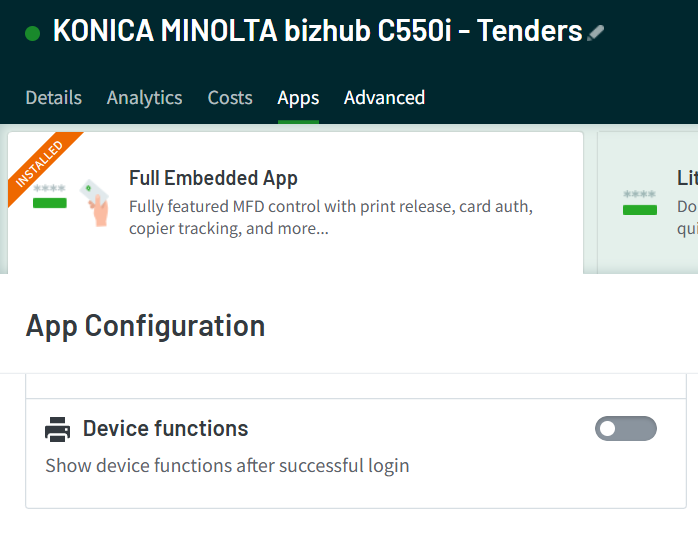
Solution: Navigate to the MFP's Apps section in the Hive portal and disable the Device Functions feature. This adjustment ensures that the PaperCut Hive app launches immediately upon user login.

support@innovativesolutions.co.za
+27 61 542 7262
Was this article helpful?
That’s Great!
Thank you for your feedback
Sorry! We couldn't be helpful
Thank you for your feedback
Feedback sent
We appreciate your effort and will try to fix the article