Service Jobs are raised to manage and track Job Activities through the Labour, Parts and Supplies used to complete the Job. Jobs can be manually created or automatically raised through the 3manager integration.
Prerequisites: To raise a Job, the following is required:

1) A Customer and ideally the Sites and Contact Persons: Follow How to create a Customer on BMS
2) One or more assets must be created against the Customer: Follow How to create an Asset in BMS
How to raise a Service Job in BMS:
Step 1: Creating an Unallocated Job:
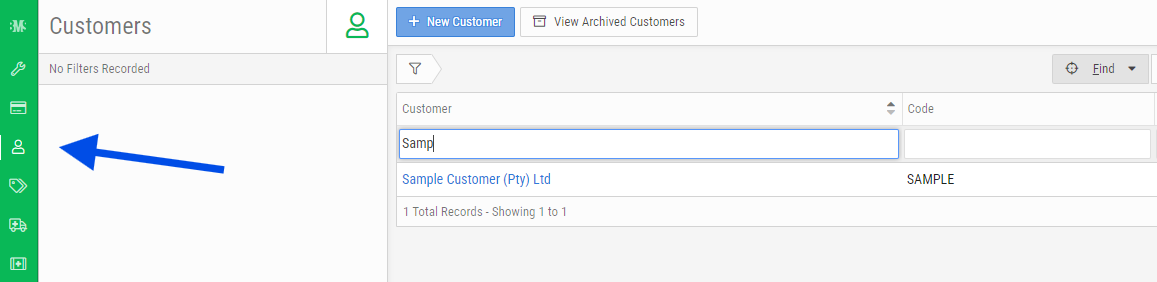
- Within the Service App, select the Customer icon and search for the desired Customer
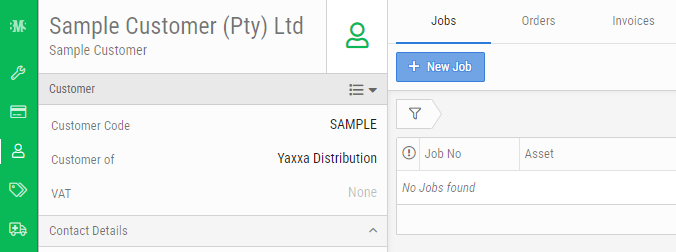
- Select the Jobs Tab and click on + New Job:
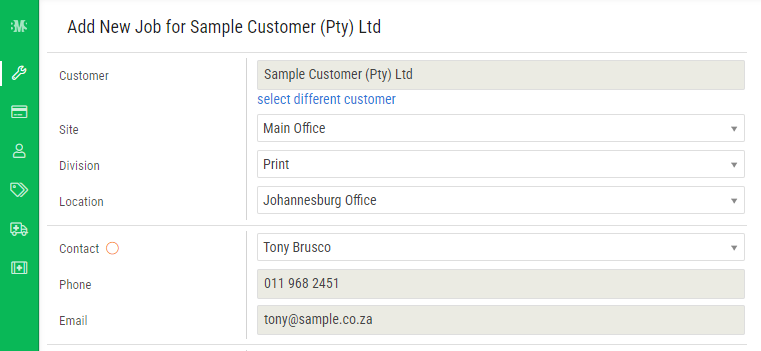
- Enter in the relevant details for the Site and Contact:
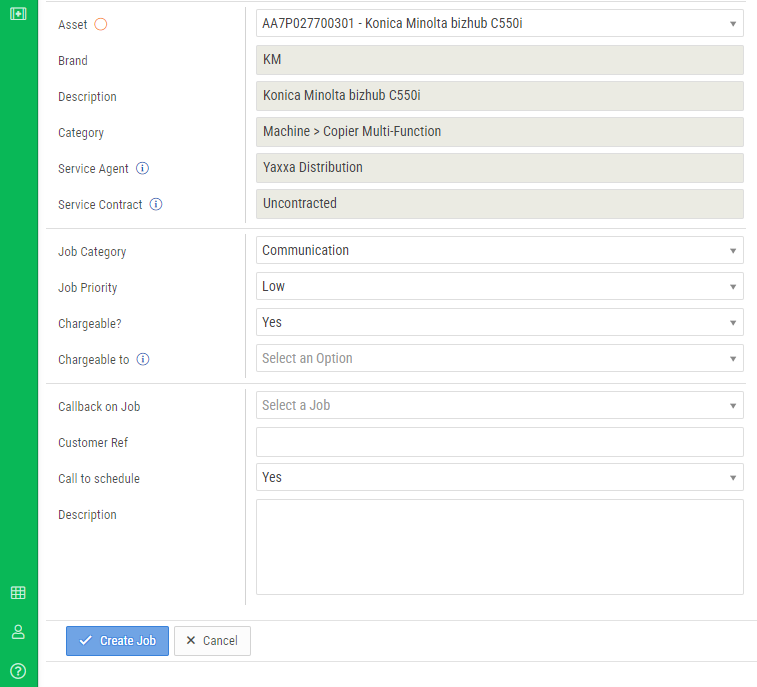
- Select the specific Asset from the Asset List. If additional Assets are to be added to the Job, this can be specified in a later step.
- Select the most suited Job Category.
- If the Job is chargable, select Yes for Chargeable?. This may be changed at a later stage if the need to charge for the Job changes.
- Complete the remaining details and specify a Description for the Job.
- Click Create Job.

support@innovativesolutions.co.za
+27 61 542 7262
Was this article helpful?
That’s Great!
Thank you for your feedback
Sorry! We couldn't be helpful
Thank you for your feedback
Feedback sent
We appreciate your effort and will try to fix the article