Product: Konica Minolta Devices
Problem: 'Certificate security credentials could not be verified' error message randomly appears on MFP screen. The device is likely to have an external applications such as PaperCut or Scanshare installed, which requires a SSL certificate.
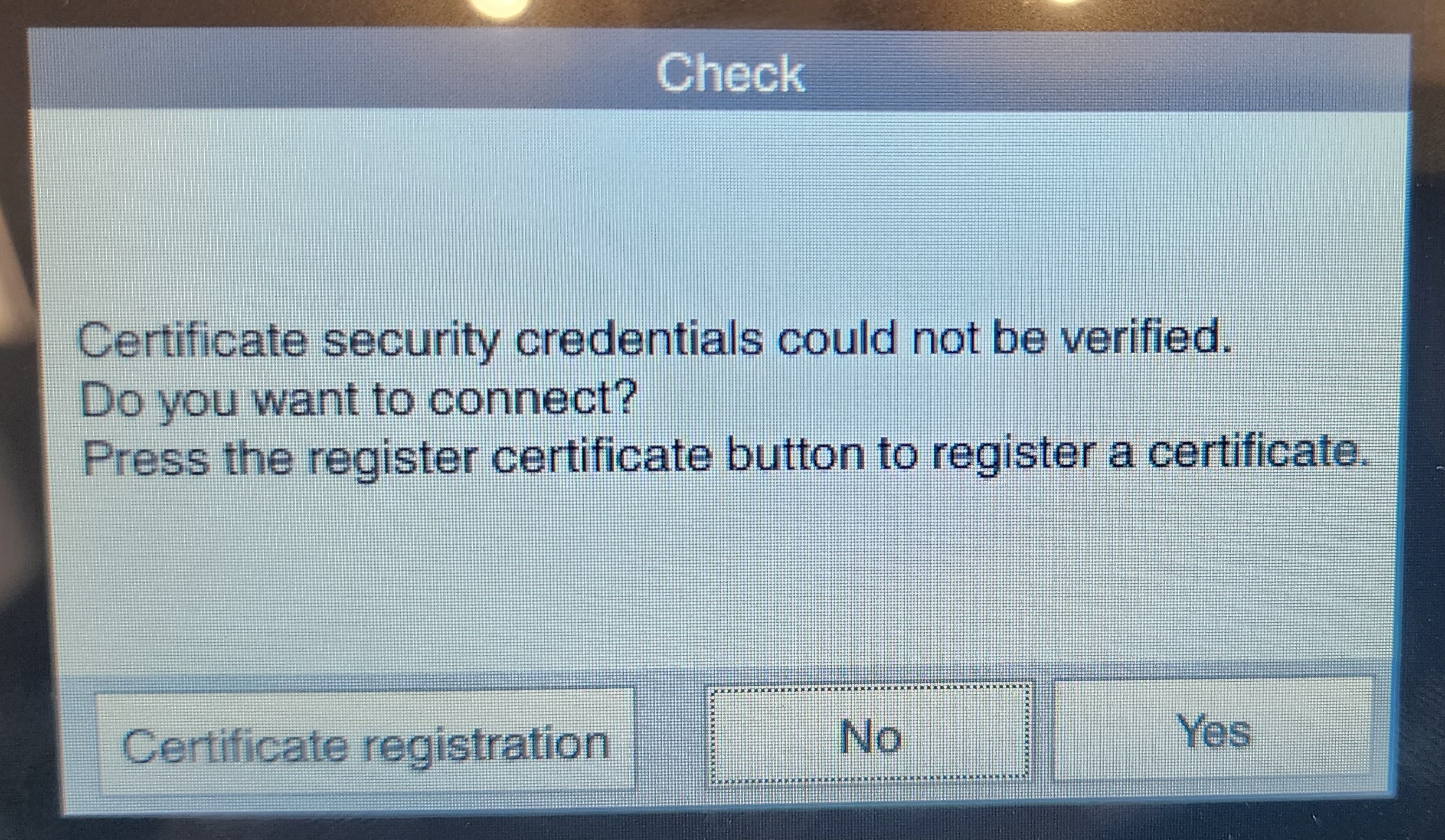
Possible causes: The SSL Certificate Verification error settings are set to display when there is a verification issue.
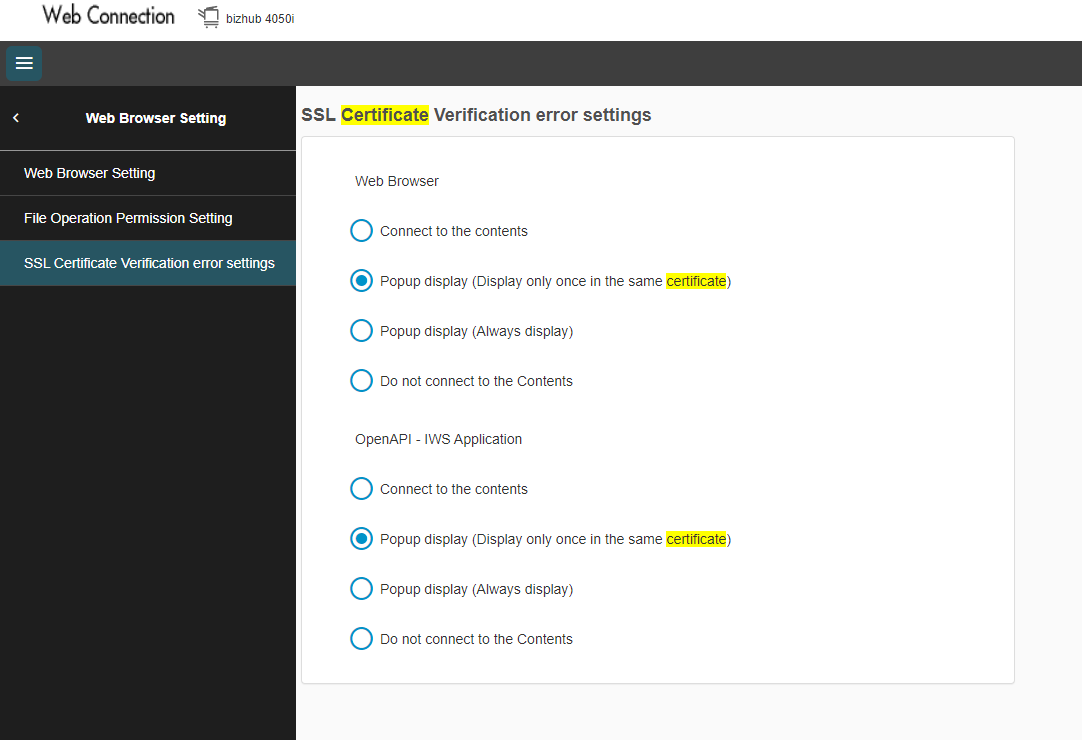
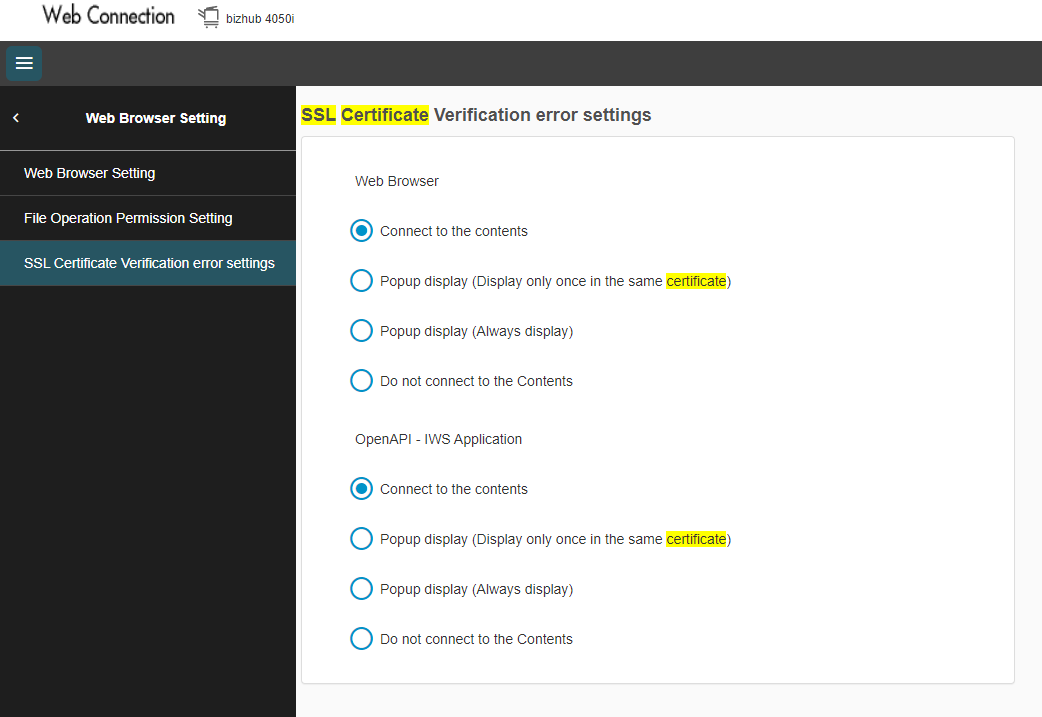
Solution: Change the Web Browser and OpenAPI - IWS Application 'SSL Certificate Verification error settings' to 'Connect to the content'
Steps to follow:
- Access the MFP's Web browser.
- Navigate to 'SSL Certificate Verification error settings' under Network > Web Browser Setting. (Or search for SSL Certificate).
- Change both settings to 'Connect to the content'.

support@innovativesolutions.co.za
+27 61 542 7262
Was this article helpful?
That’s Great!
Thank you for your feedback
Sorry! We couldn't be helpful
Thank you for your feedback
Feedback sent
We appreciate your effort and will try to fix the article