As part of having Products listed in BMS, Product Brands allows for Products to be grouped and linked to their brands.
How to add Product Brands to BMS:
Step 1: Create the Product Brand:
- From the BMS Homepage, access the Admin Application.

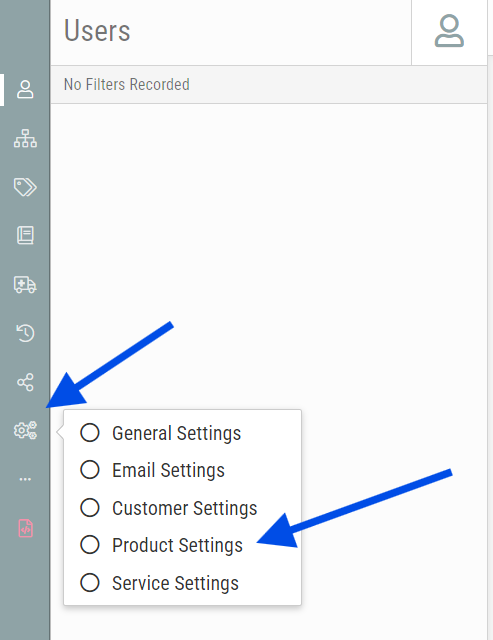
- Select the Settings menu > Product Settings:
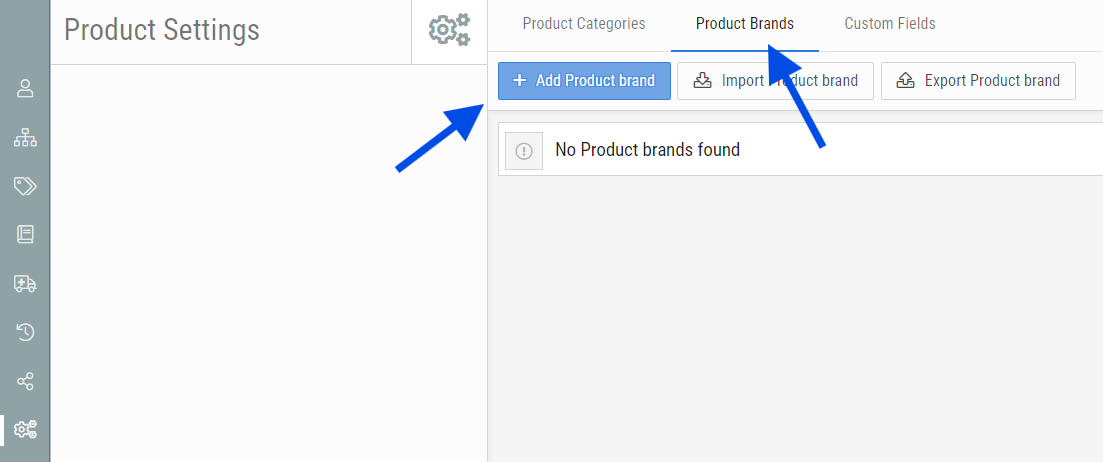
- Select the Product Brands Tab and click on + Add Product Brand:
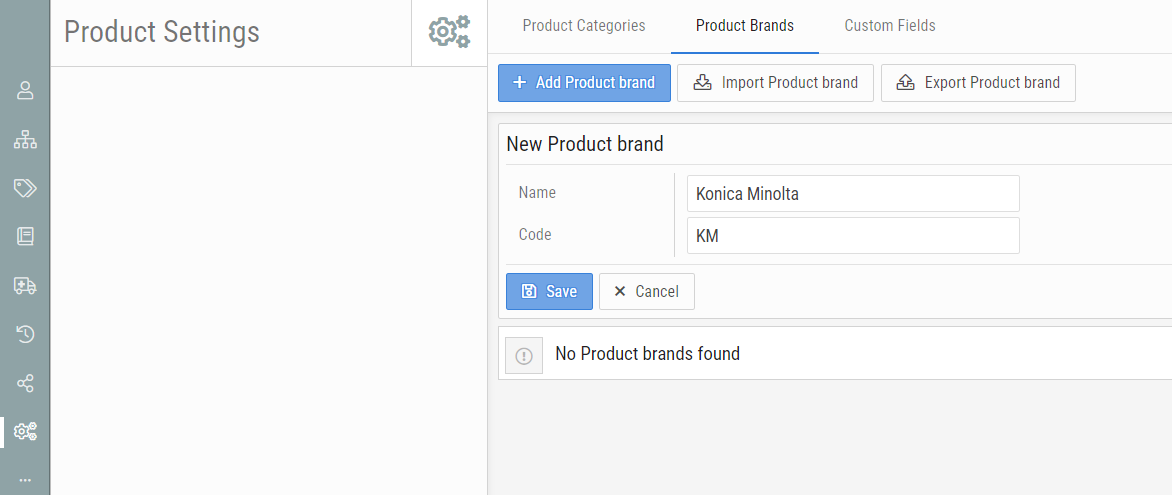
- Enter in the Product Brand Name, provide a unique Code and click Save:
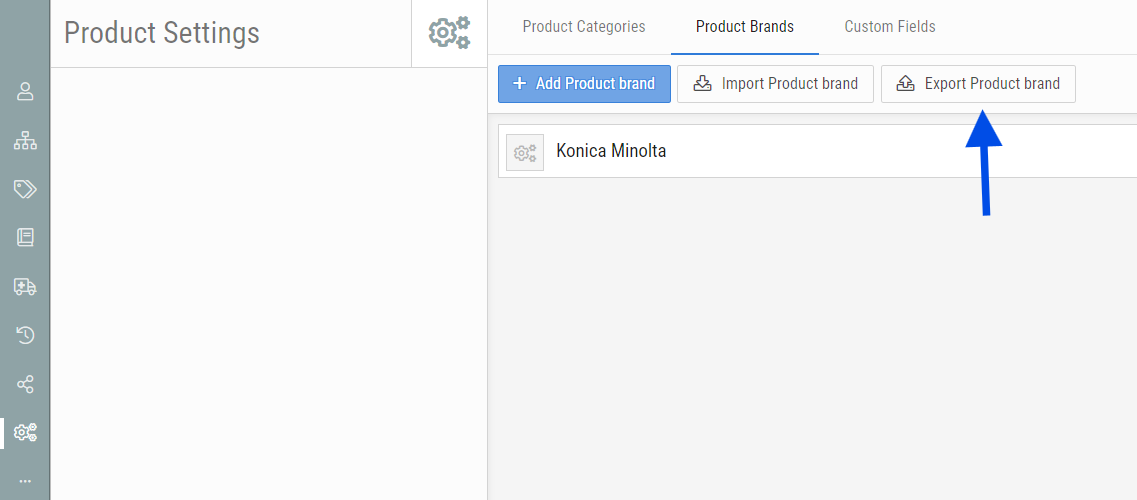
- Your Product Brand has now been created.
Step 2: Import Product Brands (optional)
- Product Brands can be imported into BMS in bulk to save time and effort. To do so, first export the Product brands by clicking Export Product brand.
- Edit the downloaded CSV file with all the product brand info you desire.
- Click Import Product Brand. Browse and select the modified CSV file and click Import Selected File.
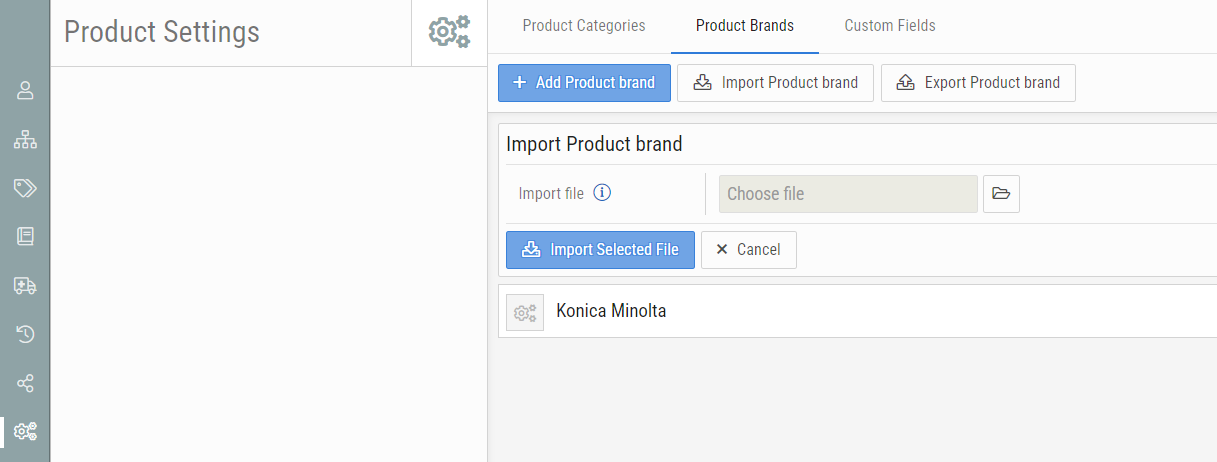
- The Product Brands will be imported.
The attached file is a Product Brand Template created by Innovative Solutions that is already populated with many brands that can be used to quickly add Product Brands to BMS instances.

support@innovativesolutions.co.za
+27 61 542 7262
Was this article helpful?
That’s Great!
Thank you for your feedback
Sorry! We couldn't be helpful
Thank you for your feedback
Feedback sent
We appreciate your effort and will try to fix the article