Product: BMS, Xero
Problem: "The TaxType code 'INPUT3' cannot be used with account code '200'" error appears on the BMS Log when processing Invoices to Xero.
Possible causes: The Tax rate specified for the Product applied on the charge being processed to Xero, has not been configured to the correct value.
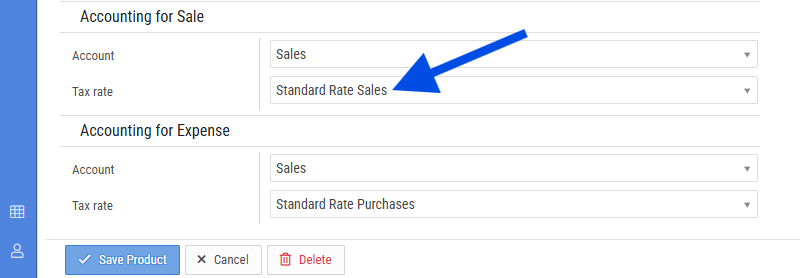
Solution:
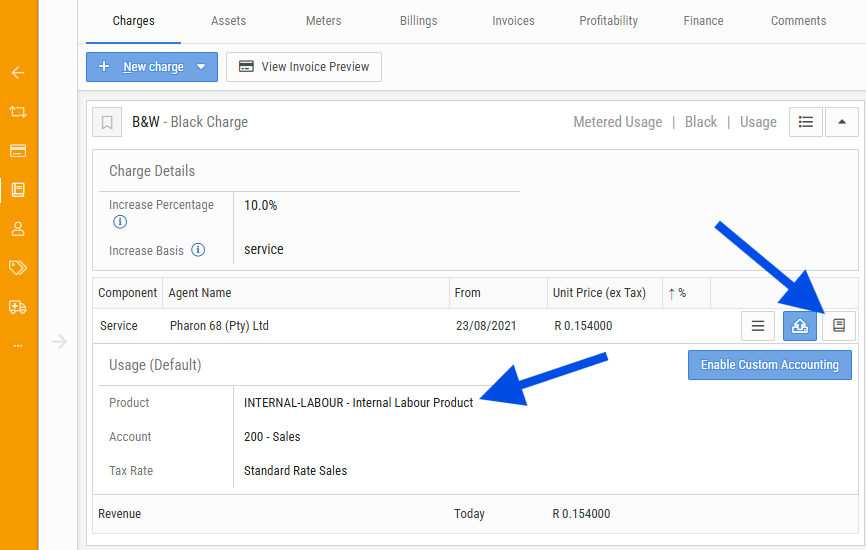
1) Confirm which Product is specified on the charge that is applied to the contract that is failing to process to Xero. This is seen on the Contract > Charges > View Accounting Details for Rates > Product:
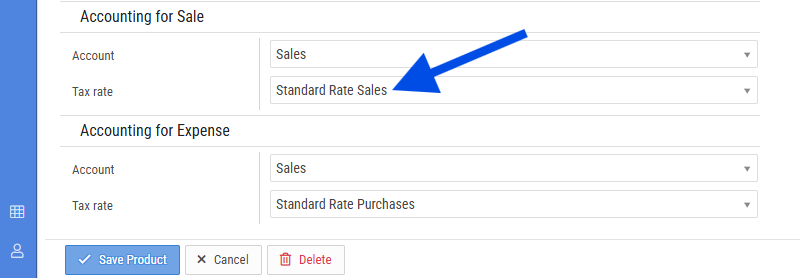
2) Go to the Stock module, find the Product from step 1, then configure the Accounting for Sale Tax rate to the appropriate Tax rate option.
3) Return to the Transaction that generated the invoice that is failing. Cancel the Invoice, Unrelease the Transaction and then Cancel the transaction.
4) Re-generate the transaction, follow the process to retry processing the invoice. Confirm the results via the Job Queue to confirm if the process succeeded or failed with any error codes.

support@innovativesolutions.co.za
+27 61 542 7262
Was this article helpful?
That’s Great!
Thank you for your feedback
Sorry! We couldn't be helpful
Thank you for your feedback
Feedback sent
We appreciate your effort and will try to fix the article