Product: BMS, Xero
Problem: Error code 'Forbidden: AuthenticationUnsuccessful' appears when trying to process an invoice or sync a Customer from BMS to Xero.
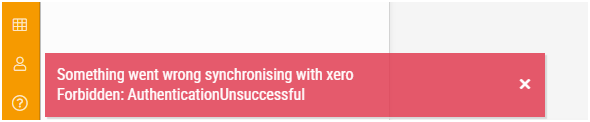
Possible causes: The integration from BMS to Xero has been updated or requires a re-authentication.
Solution: Re-authenticate the Entities' Xero integration:
1. Under Admin > Entities, click on 'Remove Authentication' for the Entity in question.
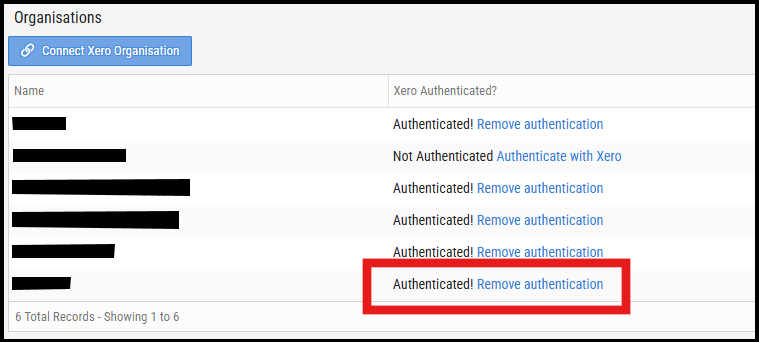
2. You will now have the option to Authenticate the Entity. Follow the onscreen instruction to reauthenticate.
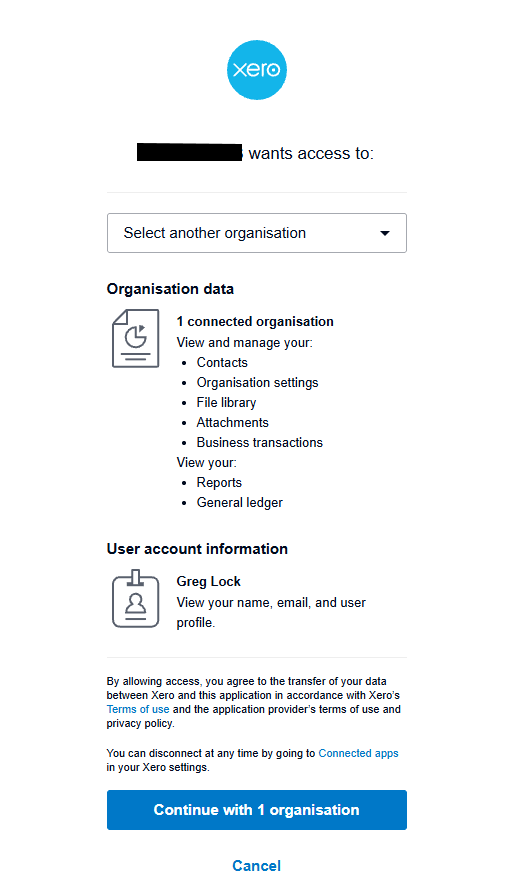
3. If the Xero Instance authentication screen does not appear, you may need to setup the Xero integration from scratch.

support@innovativesolutions.co.za
+27 61 542 7262
Was this article helpful?
That’s Great!
Thank you for your feedback
Sorry! We couldn't be helpful
Thank you for your feedback
Feedback sent
We appreciate your effort and will try to fix the article